The Right Bobcat Diagnostic Tool for Your Machine and Serial

Bobcat diagnostic tool options compared by source: panel display, Service Analyzer, Jaltest’s JDC539A cable and generic scanners, and what each reaches.
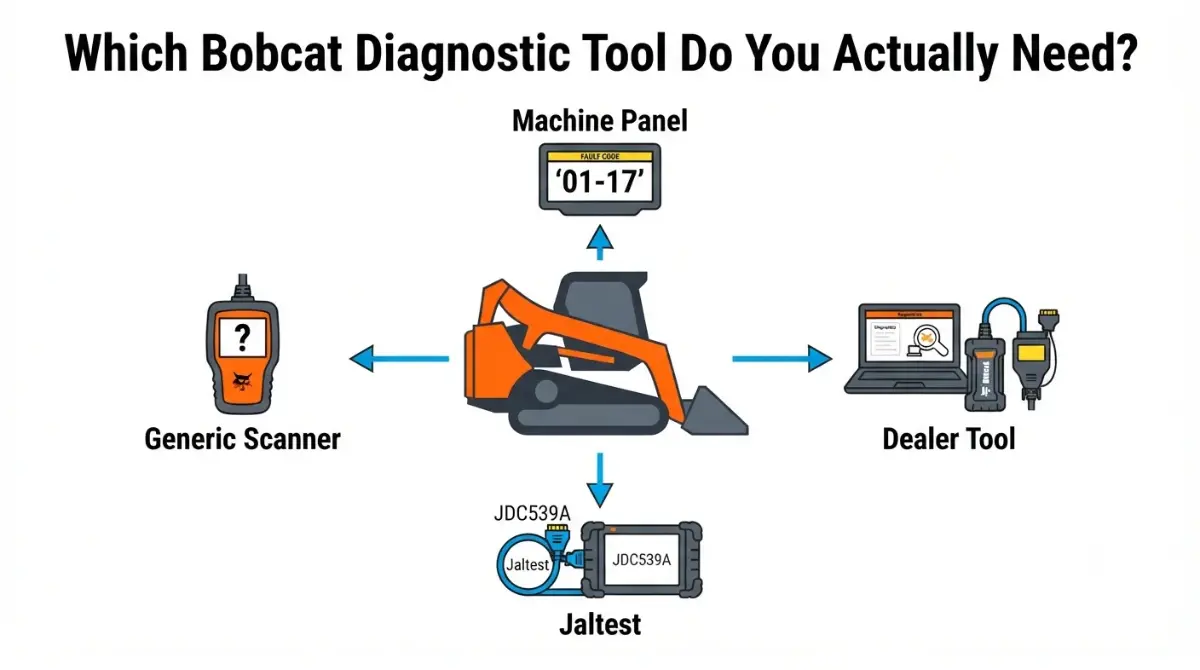
Table of Contents
Which Bobcat diagnostic tool do you actually need?
Start at the panel. Bobcat says its Deluxe instrumentation shows active and historical fault codes, no tool needed. Beyond the panel, sellers describe Bobcat’s own route as Service Analyzer software through a Remote Start Tool interface. Jaltest sells a Bobcat-specific cable, with coverage that varies by model. A generic scanner’s reach on Bobcat machine controllers is unconfirmed: we found no Bobcat document saying it works.
If the machine is down today
Read the panel, then see Bobcat fault codes by machine for which codes stop work.
If you’re deciding what to buy
Compare the routes in the table, then check cost.
ℹ️ Safety Note: Service tools connect to controllers that run the engine and hydraulics and can command a running machine. Lift arms and stored hydraulic pressure can crush or inject fluid into anyone nearby. This is general information; have a Bobcat-trained technician do connection, calibration and programming, following the operator’s and service manuals.
Read Bobcat codes at the panel before buying anything
The cheapest diagnostic tool is the display already on the machine.
Standard vs Deluxe panels
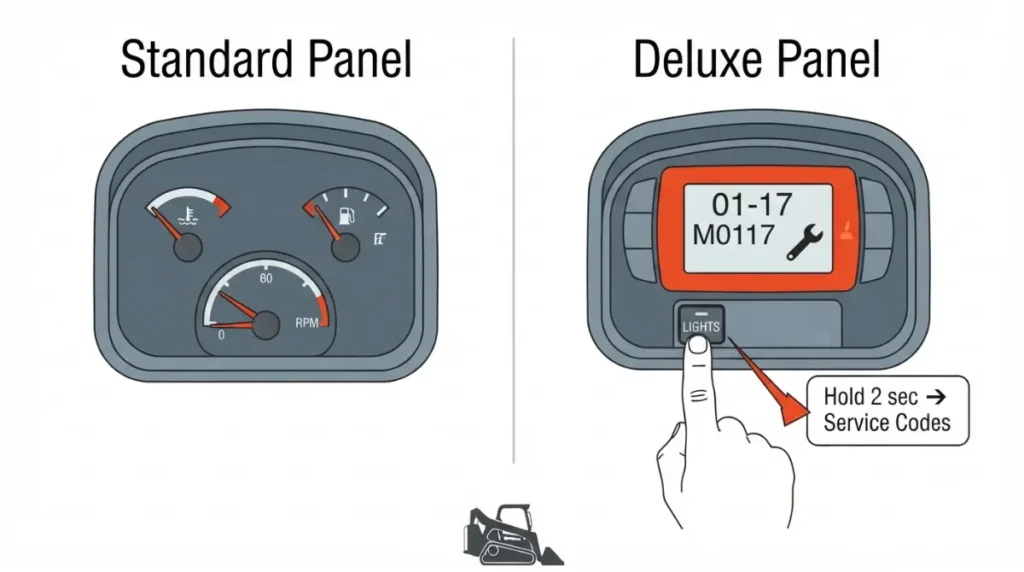
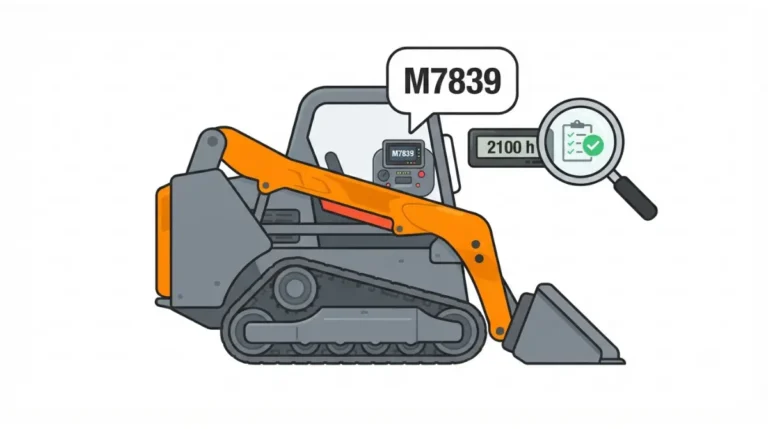
Bobcat says its Deluxe instrumentation describes active and historical fault codes, and some codes carry troubleshooting steps; that page covers compact track loaders.
📋 Verified Spec: Bobcat S250, S/N 526016700 and above / 526112200 and above: the code display shows numeric service codes. Source: Bobcat S250 Operation & Maintenance Manual (third-party-hosted copy), verified September 30, 2026.
Active vs stored codes
Write every code down before clearing anything. Published button sequences conflict: one guide says hold select or menu at startup, another says hold the Lights button. Neither is Bobcat’s, so follow your machine’s manual, including for service-light resets. Bobcat’s Owner Portal lists manuals, schematics and troubleshooting information; availability varies by location.
See how Bobcat structures codes like 01-17 and M0117.
Bobcat Service Analyzer and the Remote Start Tool
Bobcat’s own route is three parts, not one gadget.
What the kit is made of

A reseller’s kit lists the Remote Start Tool, a computer harness, a machine harness, a BOSS harness for some loaders, and Service Analyzer software. Hardware-only sellers say the interface ships without the software.
What it does that the panel can’t
Sellers describe sensor monitoring, stored-code history and maintenance-clock settings, plus controller install and program/update functions. We did not obtain Bobcat’s own Service Analyzer guide, so treat these as seller-reported.
Who can get it
We found no Bobcat statement on whether owners or independent shops can buy or license it. One software directory calls it license-controlled and typically aimed at authorized dealers and technicians. Third-party sellers offer remote-installed copies, which we don’t link.
✅ Do This: Ask your Bobcat dealer whether they will license, rent, or run the diagnosis on site for your serial number. Leave connection, calibration and programming to a Bobcat-trained technician.
Jaltest on Bobcat: what’s marketed vs. what’s documented
Jaltest is multi-brand, so ask what it documents for Bobcat.
What Jaltest says it covers on Bobcat
Jaltest’s own catalog lists a Bobcat diagnostics cable, JDC539A, for Link V8.1/V9. Its coverage tool sorts machines by category, including off-highway compact equipment.
Coverage varies by model and year
A reseller says coverage varies at the model level. It markets forced regens and injector coding and joystick and pump calibrations. Those are vendor claims, not Bobcat documentation.
Information licensing
A reseller says the one-year information license must be renewed or repair data is lost; confirm terms with Jaltest.
✅ Do This: Send your exact model and serial to Jaltest or a distributor and get coverage confirmed in writing. Leave regens and calibrations to a certified heavy equipment technician.
Dealer tool vs Jaltest vs generic scanner: what each reaches
The access matrix
| Route | Reaches on a Bobcat | Applies To | Status | Source |
|---|---|---|---|---|
| Machine panel | Active and stored codes | Deluxe display (CTL); S250 numeric codes | OEM-documented | Bobcat |
| Service Analyzer + Remote Start Tool | Monitoring, codes, programming | Bobcat compact equipment | Seller-described | Reseller listings |
| Jaltest + Bobcat cable | Diagnostics; marketed calibrations, regens | Model- and year-dependent | Cable documented; functions vendor-claimed | Jaltest; reseller |
| Generic J1939 scanner | Engine-side at most | Unknown by model | No Bobcat source |
Sources retrieved September 30, 2026; status shows who documents each row.
Where generic scanners stop
SAE J1939 is a heavy-duty vehicle network standard (SAE J1939 top-level document), but a scanner that speaks it may not reach Bobcat’s machine controllers. One seller says a heavy-duty scanner reads Bobcat engine, transmission, hydraulic and cluster codes; another says generic tools give incomplete data or won’t connect. Neither is Bobcat, so confirm with the scanner maker for your exact model and serial.
Which route for which machine
Panel to read codes. Service Analyzer through a dealer for calibration and programming. Jaltest for mixed fleets once its coverage tool lists each model.
What a Bobcat diagnostic setup really costs to own
Cost components
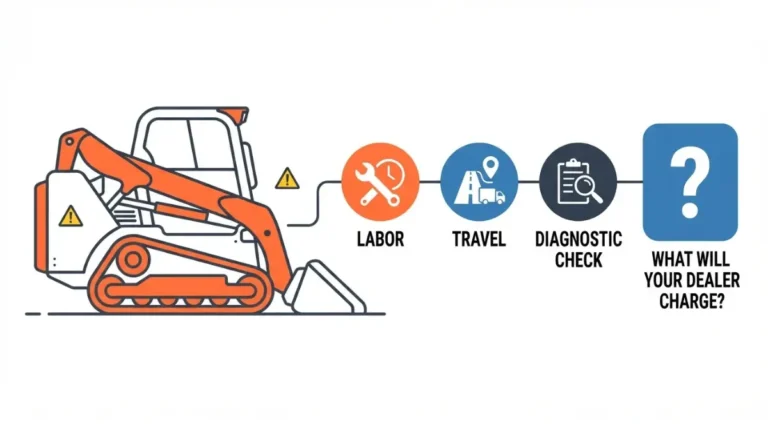
Interface and harnesses, a laptop, software licensing or subscriptions, updates, and your downtime. We found no published list price for Bobcat’s route or Jaltest. One reseller advertises monthly plans of a few hundred dollars, which is marketing, not a price list, so get written quotes.
Break-even against dealer calls
🧮 Run the Numbers: A tool pays back only when (dealer visits avoided × cost per visit) + (downtime hours avoided × hourly downtime cost) exceeds yearly software, license and laptop cost.
Licensing, gray-market software and where diagnostics stop
License-controlled software and unlicensed copies
Service Analyzer is described as license-controlled, yet copies circulate through third-party sellers. Confirm licensing with your Bobcat dealer rather than buying an unlicensed copy.
The emissions and interlock line
📜 The Rule: The Clean Air Act prohibits tampering with emission controls and making, selling or installing devices meant to defeat them, and EPA says the problem covers nonroad engines as well as on-road ones. Source: EPA enforcement initiative page, last updated December 15, 2025; verified September 30, 2026.
A diagnostic tool finds faults. It is not a reason to hide one or defeat an interlock.
✅ Do This: Before anyone touches aftertreatment, ask a certified heavy equipment technician what the fault means and whether the machine should keep running.
Bobcat diagnostic tool FAQ
1. What is the Bobcat diagnostic tool called?
As sellers describe it, Bobcat’s diagnostic tool is Service Analyzer software, connected through the Remote Start Tool interface and service harnesses.
2. Can I read Bobcat codes without a laptop?
Often. Bobcat says Deluxe instrumentation shows active and historical codes, but button steps vary, so follow your operator’s manual.
3. Does Jaltest work on Bobcat?
Jaltest lists a Bobcat-specific diagnostics cable, but coverage varies by model and year, so check its coverage tool for your machine.
4. Can a generic scanner read Bobcat codes?
Unconfirmed. Seller claims conflict and no Bobcat document confirms it, so verify with the scanner maker for your model and serial.
5. Can owners buy the Bobcat Service Analyzer?
We found no Bobcat statement. It is described as license-controlled and dealer-oriented, so ask your Bobcat dealer about licensing or rental.
6. What is the Bobcat Remote Start Tool?
Sellers describe it as the interface between machine and service PC; it doesn’t diagnose without the software. Have a Bobcat-trained technician use it.
7. How much does a Bobcat diagnostic tool cost?
We found no published list price, so get written quotes covering software, license, updates and hardware.
8. Which tool suits a skid steer or a mini excavator?
Confirm by exact model and serial: panel first, then Service Analyzer through a dealer, or Jaltest where its coverage tool lists your machine.
9. Is third-party Service Analyzer software legitimate?
It is described as license-controlled while copies circulate through third-party sellers, so confirm licensing with your Bobcat dealer first.
10. Can I reset the Bobcat service light myself?
It depends on panel type and serial range, and published methods conflict, so use your operator’s manual or dealer.
Next step
The panel comes first, and the dealer-versus-Jaltest call turns on your exact model and serial. Look up your code by serial number, then use Bobcat fault codes by machine to see whether it stops work. Price your downtime with the calculator above. Ask a Bobcat-trained technician which controllers on your serial range need Service Analyzer. This article reflects documented sources, not first-hand operation.